AI-Powered Professional Reply Assistant
Background
Professional communication via emails and LinkedIn often requires clarity, proper tone, and grammatical accuracy. Many users hesitate or struggle to frame the right response in high-stakes conversations. ResponseMate was designed as a Chrome extension to generate context-aware, professional replies—helping users respond faster and more confidently without disrupting their workflow.
Problem
- Users often struggle to frame the right response to professional messages on LinkedIn.
- Uncertainty around tone, spelling, and grammar creates hesitation
- Difficulty articulating thoughts clearly affects professionalism
- This slows down communication and decision-making
- Poorly structured replies can negatively impact high-stakes interactions like job opportunities, networking, or client communication
Solution
- An AI-powered Chrome extension Called 'ResponseMate' that generates professional responses for emails and LinkedIn messages
- Scans prior chat context to suggest grammatically correct and well-toned replies
- Provides clear indicators and prompts to guide users through response generation
- Reduces response time while improving clarity and professionalism
Design Decisions & Solutions
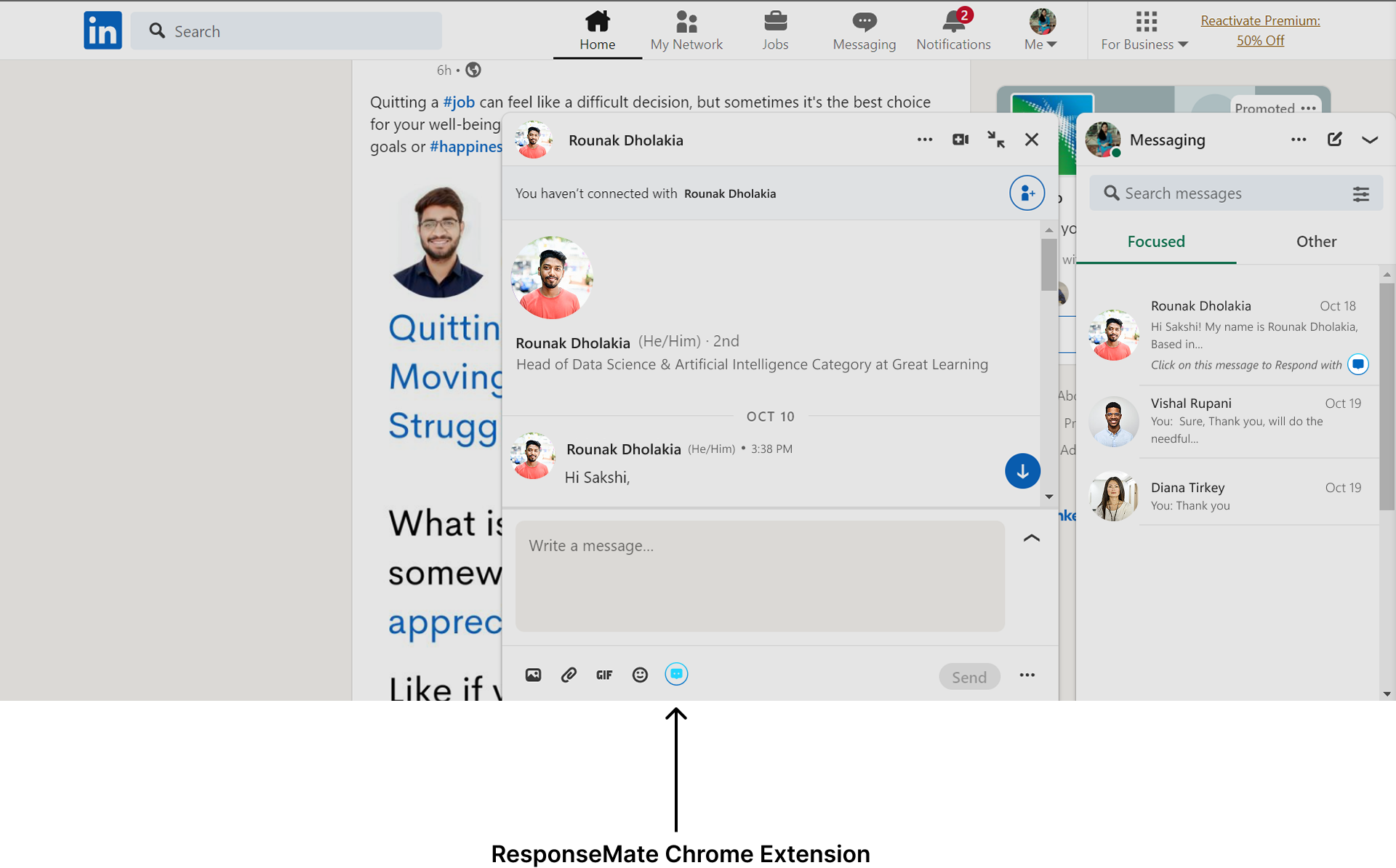
1. Contextual Placement of ResponseMate in the Chat Input Area
Goal:
Allow users to access responses at the exact moment of replying, reducing hesitation and maintaining focus during professional conversations.
Solution Provided:
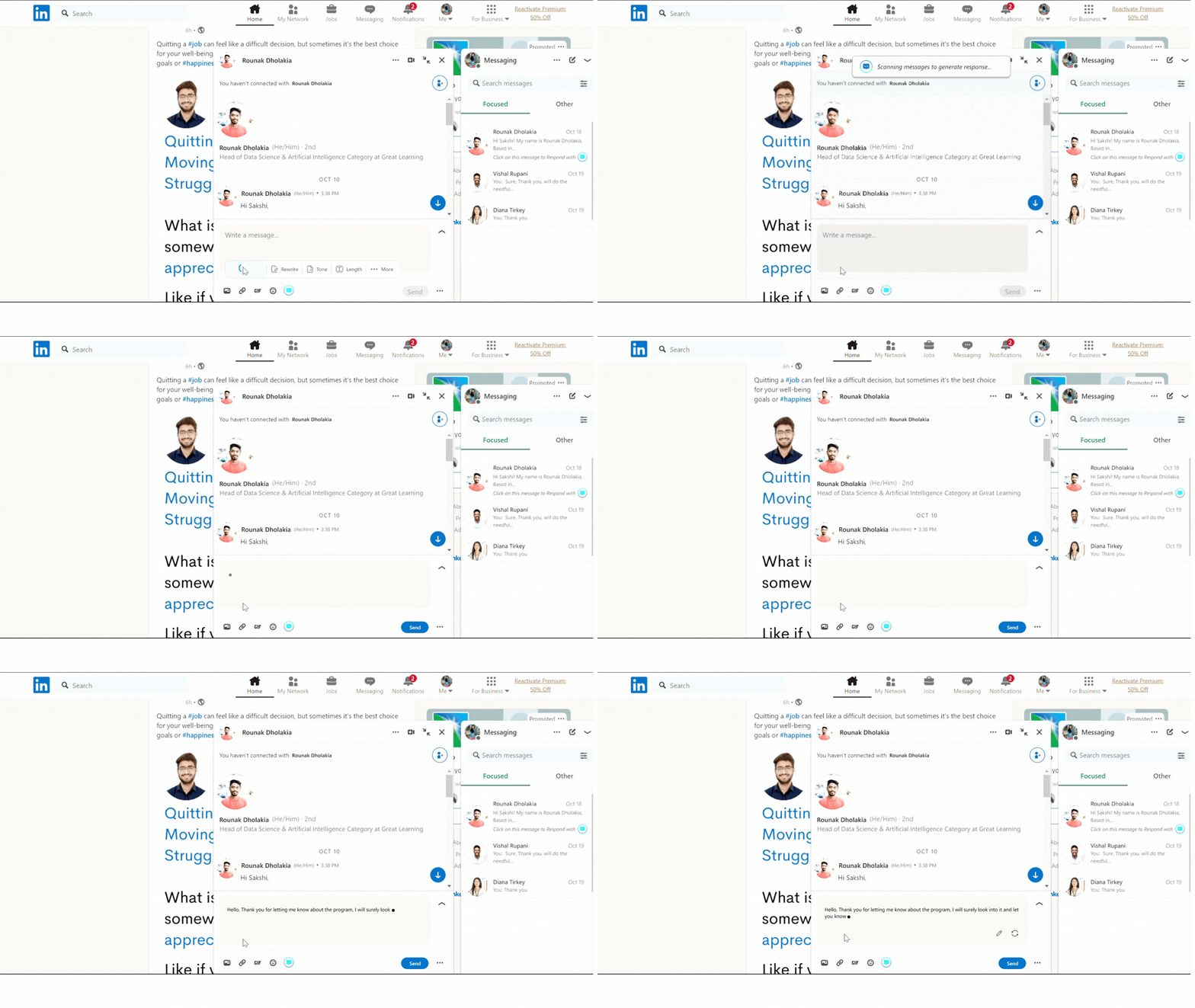
ResponseMate was integrated directly into the message input area, alongside familiar chat actions like GIFs and attachments. This contextual placement aligns with users' natural reply behavior, ensures easy discovery, and enables instant response generation without interrupting the conversation flow—positioning ResponseMate as a supportive, non-intrusive assistant.
2. Progressive Disclosure of AI Response Controls
Goal:
Support users in crafting professional replies while avoiding cognitive overload during message composition.
Solution Provided:
ResponseMate's capabilities—such as Generate, Rewrite, Tone, and Length—are revealed only when the user focuses on the message input area. By progressively disclosing these controls at the point of intent, the design keeps the interface minimal by default while making advanced assistance instantly accessible when needed.
This approach ensures users are not overwhelmed by options upfront and can selectively refine their responses based on confidence level, tone requirements, or context of the conversation.

3. Transparent Prompt During Response Generation
Goal:
Build user trust and reduce uncertainty by clearly communicating what the AI Chrome extension is doing when generating a response.
Solution Provided:
A contextual prompt informs users when the extension is scanning the conversation and generating a response, clearly explaining what's happening in real time. This transparency reduces uncertainty, builds trust, and sets clear expectations during response generation.

4. Chrome Extension Interaction Experience
created two design variations to define how users interact with the Chrome extension
First Version

Version 2